 |
 |
|
The CNC Controller
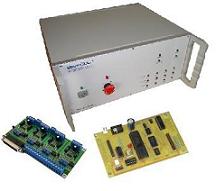
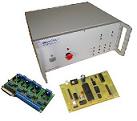
The CNC controller is the brain of a CNC system. A controller completes the all important link between a computer system and the mechanical components of a CNC machine. The controller's primary task is to receive conditioned signals from a computer or indexer and interpret those signals into mechanical motion through motor output. There are several components that make up a controller and each component works in unison to produce the desired motor movement.
The following sections will discuss the primary task of each component in the controller and how they work together to create a complete CNC system. CNC Controller Sections  CNC Controllers background
This section covers the history of controllers and where they have advanced to today. 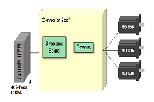 Controllers Components
This section covers the components that make up a CNC controller system and how they work together to control the machine.  Open Vs. Closed Loop controllers
This section covers the difference between open and closed loop CNC systems  CNC Control Signals
This section covers how the control signals used by a controller system to operate 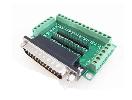 Breakout Boards
This section covers the function of a breakout board and how it integrated into a CNC system. Communication Port pin information 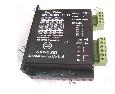 Stepper Motor Drivers
This section covers stepper motor control. The different types of stepper motor drivers will be compared. Uni-polar vs Bipolar Drivers This Section covers the differences between uni-polar and bipolar stepper motor drivers. Stepper Driver Step Modes This Section covers the different step modes such as Full, Half, and Microstepping. Buying Stepper Motor Drivers This section covers the features to look for when buying stepper motor driver.  Servo Motor Drivers
This section covers servo motor control. The different types of servo motor drivers will be compared. 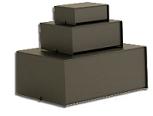 Enclosures
This section covers enclosures for your controller hardware. Often overlooked, the enclosure is an important part. Bad enclosures can cause overheating or shorts due to debris.  Controller Prices
This section covers generic controller prices. What you should expect to pay and also some tips for saving money.
Where to buy controllers?This section list a few good resources for buy controller parts and kits. 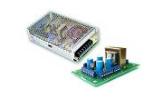 Controller Power Supplies
This section covers the power supply. Choosing the right power source is crucial for proper machine function. Back to the Builder's Guide |
The Builder's Guide
 Calculators
 CNC Controllers
 |
|
|
[?] Subscribe To This Site
Page Missing?Please bare with us as we upload pages. The website is still under contruction and new content is being added. To see the most recent pages, visit the website blog. Thank you! |
||
|
|
Homepage |
Buyer's Guide |
Builder's Guide |
Contact Us|
© Copyright 2007-2011. |
||
|
|
||


