 |
 |
|
|
CNC Electronics CNC electronics are a vital part of any CNC machine. Aside from the
motors
and
CNC controllers
, there are many electronic components that assist in the machine operation.
CNC electronics are a vital part of any CNC machine. Aside from the
motors
and
CNC controllers
, there are many electronic components that assist in the machine operation.In this section we will cover all the electronics involved with a CNC router. Many people feel more threatened by the electrical components than the mechanics of a machine. This doesnt have to be the case. Whether you are
building
or
buying a CNC router
, this section will help inform you on the CNC electronic systems found on a CNC router and help you understand how they come together with other components to create a fully working machine. For the buyer If you are purchasing a CNC router , you will probably know right from the start if something is wrong with the electronics. This should be checked before ever committing to buying a CNC router. Of course for a new machine, this should be of little concern. If you are buying a new machine, everything should be in tip top shape and if not, send it back or have them fix it. However, if you are buying a used machine, it would be highly recommended to check all the systems before hand. The control panel buttons, limit switches, wiring, etc. For high end CNC routers, in any case you should always have a professional inspect the machine if you find something to be faulty. The chances of you shorting out other systems are not worth the risk of trying to fix it yourself or having the Maytag repair man look it over. For lower end models and hobby CNC routers , the electronics are usually very straightforward but if you dont feel comfortable, have someone else do it. For the Builder There are many electronic aspects of a CNC router that are vital to its function. Things such as limit and proximity switches, motor wiring, correct cable sizing and selection etc. These features are, in my opinion, vital to building a reliable machine. Yet many people neglect these feature because of lack of know how or budget . Many of these add-ons cost only pennies to install and could save either your machine or the piece you are working on. For the most part, adding these components is by no means difficult. There are also some CNC electronic features that are not often required. Such as manual pulse generators, home and e-stop buttons, touch-off tool sensors etc. These things may or may not be essential to the machine, depending on the user, but do increase user friendliness. Not to mention, increasing the overall look and feel of the machine. With a few CNC electronic add-ons and a well constructed user panel, you can make you
homemade CNC routers
seem like one off the shelf. 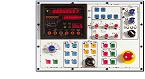 The Control Panel
 Layout and Overview Features Building Your Own 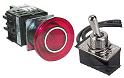 Buttons and Switches
 Overview E-stop Buttons Home Switches Misc. Switches 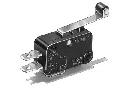 Limit and Proximity switches
 Overview Limit Switches Normally On vs Normally Off Proximity Switches 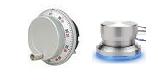 Manual Pulse Generators/Jog Wheels
 Overview True MPG Wheels Jog Wheel Other Options  Wiring and Fusing
 Overview Wiring Your System Cable Selection Fuses Dos and Donts Cable Tracks 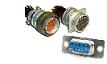 Connectors
 Overview Motor Connectors DB9 Connectors DB25 Connectors Misc. Connectors 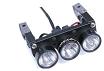 Lighting
 Overview Lighting your Work Shop Lighting Nifty Ideas 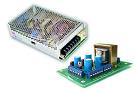 Power Supplies (PSUs)
 Overview Stepper/Servo PSU Controller PSU Building your Own DC PSU Shop Power Requirements  Tool Sensors
 Overview Digital Tool Sensors Analog Tool Sensors Build a Touch off pad  Breakout boards
 Overview Applications Options Build your Own  Troubleshooting
 Need Help? Contact Us We will try and help you or provide you with someone who can assist you.
|
The Builder's Guide
 Calculators
 CNC Controllers
 |
|
|
[?] Subscribe To This Site
Page Missing?Please bare with us as we upload pages. The website is still under contruction and new content is being added. To see the most recent pages, visit the website blog. Thank you! |
||
|
|
Homepage |
Buyer's Guide |
Builder's Guide |
Contact Us|
© Copyright 2007-2011. |
||
|
|
||


